
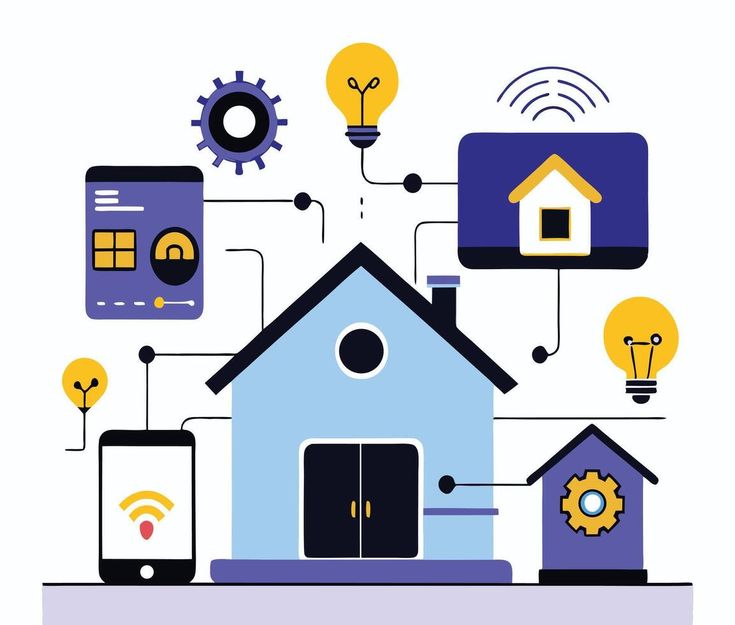
Home automation is the use of technology to automatically control and manage household systems and devices such as lighting, security, heating, cooling, and appliances. These systems operate through connected hardware, software, and communication networks, allowing homes to function with minimal manual intervention.
Home Automation vs Smart Home
Home automation and smart homes are related but not identical concepts. A smart home refers to individual devices that can be controlled digitally, while home automation focuses on system-level automation, where devices work together based on rules, schedules, or sensor input.
Key distinction:
- Smart devices respond to user commands
- Home automation systems act automatically without constant user input
Key Characteristics of Home Automation Systems
A true home automation system includes the following characteristics:
- Centralized or integrated control
- Automated actions based on conditions (time, motion, temperature)
- Remote access via apps or voice assistants
- Interconnected devices working as a system
- Minimal need for manual operation
These characteristics differentiate home automation from basic remote-controlled devices.
Summary Box: Home Automation at a Glance
- Technology-driven control of home systems
- Operates automatically or remotely
- Integrates multiple devices into one system
- Enhances efficiency, comfort, and security
Key Takeaways
- Home automation enables automatic control of household functions
- It goes beyond single smart devices to system-wide integration
- Automation is driven by rules, sensors, and connectivity
Common Misconceptions
- ❌ “Home automation is just using smart bulbs or plugs”
- ❌ “Automation always requires complex installation”
- ❌ “Home automation only works with voice control”
ALSO READ : Technology in Daily Life
How Home Automation Works
Home automation works by connecting devices, sensors, control systems, and communication networks into a unified system that can operate automatically or remotely. The system follows predefined rules, user commands, or real-time sensor data to perform actions without constant manual input.
Role of Sensors, Controllers, and Actuators
Home automation systems rely on three core functional elements:
- Sensors collect data from the environment, such as motion, temperature, light levels, or door status.
- Controllers (hubs or software platforms) process this data and apply automation rules.
- Actuators carry out actions, such as turning lights on, adjusting thermostats, or locking doors.
This structure enables real-time decision-making within the system.
Connectivity and Communication Protocols
Devices in a home automation system communicate through wired or wireless networks. These networks allow devices to exchange data reliably and securely.
Common communication technologies include:
- Wi-Fi (high bandwidth, internet-dependent)
- Zigbee and Z-Wave (low power, mesh networking)
- Bluetooth (short-range device control)
- Ethernet (wired, high stability)
The choice of protocol affects system speed, reliability, and scalability.
Automation Rules and Triggers
Automation rules define when and how devices respond. These rules are based on triggers, conditions, and actions.
Examples of automation logic:
- Motion detected → lights turn on
- Temperature drops below set level → heating activates
- Scheduled time → security system arms automatically
Once configured, these actions occur without user involvement.
Remote Control and User Interfaces
Home automation systems are typically managed through:
- Mobile applications
- Web dashboards
- Voice assistants
These interfaces allow users to monitor, adjust, and override automated behaviors from anywhere with internet access.
Table: Core Functional Elements of Home Automation
| Element | Function | Example |
| Sensor | Detects environmental changes | Motion sensor |
| Controller | Processes data and rules | Smart hub |
| Actuator | Performs physical action | Smart switch |
| Interface | User control and monitoring | Mobile app |
Summary Box: How Home Automation Operates
- Sensors gather real-time data
- Controllers apply automation logic
- Devices act automatically or remotely
- Systems function continuously with minimal input
Key Takeaways
- Home automation operates through interconnected components
- Automation rules enable hands-free operation
- Communication protocols determine system performance
Common Misconceptions
- ❌ “Home automation only works with the internet”
- ❌ “All devices must use the same brand”
- ❌ “Automation requires constant user control”
Core Components of a Home Automation System
A home automation system is built on multiple interconnected components that work together to monitor conditions, process information, and perform automated actions. Each component plays a specific role in ensuring reliable, secure, and efficient automation.
Smart Devices
Smart devices are the end-point products that perform actions or collect data within a home automation system.
Common smart devices include:
- Smart lights and switches
- Smart thermostats
- Smart locks and doorbells
- Smart appliances
- Smart cameras and alarms
These devices are designed to connect to a network and respond to automation commands or manual controls.
Sensors
Sensors detect changes in the home environment and provide real-time data to the system. They act as the input layer of automation.
Types of sensors used in home automation:
- Motion sensors
- Temperature and humidity sensors
- Light sensors
- Door and window sensors
- Smoke, gas, and water leak sensors
Sensor data enables automated responses based on environmental conditions.
Controllers / Smart Hubs
Controllers, often called smart hubs, act as the central brain of the home automation system. They receive data from sensors, process automation rules, and send commands to devices.
Key functions of controllers:
- Device coordination
- Automation rule execution
- Protocol translation (Zigbee, Z-Wave, Wi-Fi)
- Centralized system management
Some systems use cloud-based controllers, while others rely on local hubs.
Communication Network
The communication network connects all components, allowing seamless data exchange between devices and controllers.
Common network technologies include:
- Wi-Fi
- Zigbee
- Z-Wave
- Bluetooth
- Ethernet
Network choice affects system speed, reliability, power consumption, and scalability.
User Interface
The user interface allows homeowners to monitor, control, and customize automation settings.
Typical interfaces include:
- Mobile applications
- Web dashboards
- Voice assistants
Through these interfaces, users can manage devices, create automation rules, and receive system alerts.
Automation Software & Rules Engine
Automation software defines how and when actions occur. It processes sensor data and executes predefined rules.
Examples of automation logic:
- If motion is detected, turn on lights
- If temperature exceeds a set limit, activate cooling
- If doors open at night, trigger security alerts
This software enables hands-free and intelligent operation.
Table: Core Components Overview
| Component | Purpose | Example |
| Smart Devices | Perform actions | Smart bulb |
| Sensors | Detect changes | Motion sensor |
| Controller | Manage system logic | Smart hub |
| Network | Enable communication | Zigbee |
| Interface | User control | Mobile app |
| Software | Automation execution | Rules engine |
Summary Box
A home automation system relies on smart devices, sensors, controllers, communication networks, and automation software to function as an integrated ecosystem.
Key Takeaways
- Each component serves a distinct role
- Sensors provide data, controllers make decisions
- Networks and software ensure smooth automation
Pros / Cons
Pros
- Efficient system control
- Scalable and customizable
- Reduced manual intervention
Cons
- Compatibility issues between devices
- Network dependency for some systems
Types of Home Automation Systems
Home automation systems are categorized based on control architecture, connectivity, and level of intelligence. Understanding these types helps users choose a system that matches their budget, scalability needs, and technical requirements.
Wired Home Automation Systems
Wired systems use physical cables to connect devices, sensors, and controllers.
Key characteristics:
- High reliability and stability
- Minimal signal interference
- Suitable for large or newly constructed homes
Limitations:
- High installation cost
- Difficult to modify after installation
Wired systems are commonly used in commercial buildings and luxury residential projects.
Wireless Home Automation Systems
Wireless systems rely on radio-frequency communication instead of physical wiring.
Common wireless technologies:
- Wi-Fi
- Zigbee
- Z-Wave
- Bluetooth
Advantages:
- Easy installation
- Cost-effective
- Flexible and scalable
Wireless systems are the most widely adopted solution in modern smart homes.
Centralized Home Automation Systems
In centralized systems, all devices are controlled through a single central hub or controller.
How it works:
- One controller manages automation logic
- Devices depend on the central unit
Pros:
- Unified control
- Advanced automation capabilities
Cons:
- Single point of failure
- Higher dependency on the main controller
Decentralized Home Automation Systems
Decentralized systems allow each device to operate independently, without relying on a single controller.
Key features:
- Devices communicate directly
- System continues working if one device fails
Advantages:
- Higher system resilience
- Lower risk of total failure
Disadvantages:
- Limited complex automation
- Less centralized control
Cloud-Based Home Automation Systems
Cloud-based systems store automation logic and data on remote servers.
Characteristics:
- Remote access from anywhere
- Automatic updates
- AI-powered features
Limitations:
- Internet dependency
- Potential privacy concerns
These systems are popular due to ease of use and remote management.
Hybrid Home Automation Systems
Hybrid systems combine local control and cloud connectivity.
Benefits:
- Works during internet outages
- Remote access when online
- Improved security and reliability
Hybrid systems are considered the most balanced and future-ready solution.
Table: Comparison of Home Automation System Types
| System Type | Control Method | Reliability | Scalability |
| Wired | Physical cables | Very high | Low |
| Wireless | RF protocols | High | High |
| Centralized | Single hub | Medium | High |
| Decentralized | Independent devices | High | Medium |
| Cloud-based | Remote servers | Medium | High |
| Hybrid | Local + cloud | Very high | Very high |
Summary Box
Home automation systems can be wired, wireless, centralized, decentralized, cloud-based, or hybrid, each offering different levels of control, flexibility, and reliability.
Key Takeaways
- Wireless and hybrid systems dominate modern homes
- Centralized systems offer strong control but higher risk
- Hybrid models provide the best balance of performance and resilience
Common Misconceptions
- ❌ All home automation systems require constant internet
- ❌ Wired systems are always outdated
- ❌ One system type fits all homes
Benefits of Home Automation
Home automation delivers measurable benefits by improving efficiency, safety, comfort, energy management, and control within residential environments. These benefits are supported by connected technologies, automation logic, and real-time data processing.
Improved Convenience and Comfort
Home automation reduces manual effort by allowing devices to operate automatically or remotely.
Key convenience benefits include:
- One-touch or voice-based control of multiple devices
- Automated lighting, climate, and appliance management
- Customized routines based on user behavior and schedules
This improves daily comfort while minimizing repetitive tasks.
Enhanced Energy Efficiency
Automated systems optimize energy usage by responding to real-time conditions.
Energy-saving mechanisms include:
- Smart thermostats adjusting temperature based on occupancy
- Lights turning off automatically when rooms are unoccupied
- Appliances operating during off-peak energy hours
According to industry standards, automated energy control can significantly reduce unnecessary consumption.
Improved Home Security and Safety
Home automation strengthens residential security through continuous monitoring and automated responses.
Security-related benefits:
- Real-time alerts for motion, intrusion, smoke, or leaks
- Automated door locks and surveillance systems
- Remote access to cameras and security controls
Safety automation helps prevent incidents and enables faster response.
Remote Monitoring and Control
Home automation allows homeowners to manage their property from any location.
Remote capabilities include:
- Monitoring energy usage and device status
- Controlling lighting, locks, and appliances remotely
- Receiving system alerts and notifications
This feature is particularly valuable for frequent travelers and rental property owners.
Customization and Scalability
Automation systems are designed to adapt to changing user needs.
Customization benefits:
- Personalized automation rules
- Expandable device ecosystems
- Compatibility with multiple platforms and protocols
This scalability ensures long-term usability and system growth.
Accessibility and Assisted Living Support
Home automation supports individuals with mobility or accessibility challenges.
Accessibility advantages include:
- Voice-controlled devices
- Automated doors, lighting, and climate systems
- Reduced need for physical interaction
These features contribute to safer and more independent living environments.
Table: Key Benefits of Home Automation
| Benefit Area | Impact | Example |
| Convenience | Reduced manual control | Automated lighting |
| Energy Efficiency | Lower energy consumption | Smart thermostat |
| Security | Enhanced protection | Smart locks |
| Remote Access | Control from anywhere | Mobile app |
| Scalability | System expansion | Add-on devices |
| Accessibility | Improved independence | Voice control |
Summary Box
Home automation improves comfort, energy efficiency, security, accessibility, and remote control through intelligent, connected systems.
Key Takeaways
- Automation enhances daily living efficiency
- Energy optimization reduces long-term costs
- Security and remote access increase peace of mind
Pros / Cons
Pros
- Increased comfort and control
- Improved energy management
- Enhanced safety and security
Cons
- Initial setup costs
- Device compatibility considerations
Challenges and Limitations of Home Automation
Despite its advantages, home automation also presents technical, financial, and operational challenges that users should evaluate before adoption. These limitations vary based on system type, connectivity, and user requirements.
High Initial Setup Costs
Home automation systems often require upfront investment in devices, hubs, sensors, and installation.
Cost-related challenges include:
- Price of smart devices and controllers
- Professional installation for wired systems
- Additional costs for upgrades and expansions
While long-term savings may occur, initial expenses can be a barrier.
Compatibility and Interoperability Issues
Not all smart devices work seamlessly together.
Common interoperability challenges:
- Devices using different communication protocols
- Limited cross-brand compatibility
- Dependence on proprietary ecosystems
These issues can restrict system flexibility and future expansion.
Internet and Network Dependency
Many home automation systems rely on stable internet connectivity.
Limitations caused by connectivity dependence:
- Reduced functionality during internet outages
- Cloud-based automation failures
- Latency or delayed responses
Systems without local control may experience service interruptions.
Security and Privacy Concerns
Connected devices can introduce cybersecurity risks if not properly secured.
Potential risks include:
- Unauthorized access to devices
- Data privacy concerns
- Vulnerabilities in outdated firmware
According to industry best practices, strong encryption and regular updates are essential.
System Complexity and Maintenance
Advanced automation systems may be difficult for non-technical users to manage.
Maintenance challenges include:
- Complex setup processes
- Frequent software updates
- Troubleshooting device failures
Ongoing system management requires time and technical awareness.
Limited Standardization
The home automation industry lacks universal standards.
Effects of limited standardization:
- Fragmented device ecosystems
- Inconsistent performance
- Shorter product lifecycles
This can lead to compatibility issues as technologies evolve.
Table: Common Challenges in Home Automation
| Challenge | Impact | Example |
| High cost | Adoption barrier | Wired systems |
| Compatibility | Limited integration | Mixed brands |
| Internet dependency | Service disruption | Cloud systems |
| Security risks | Data exposure | Weak passwords |
| Complexity | User difficulty | Advanced rules |
Summary Box
Home automation faces challenges related to cost, compatibility, security, connectivity, and system complexity that can affect usability and reliability.
Key Takeaways
- Initial costs may be high
- Compatibility varies across platforms
- Security and maintenance are ongoing requirements
Pros / Cons
Pros
- Advanced functionality
- Customizable automation
Cons
- Technical complexity
- Privacy and security risks
Future Trends in Home Automation
Home automation is evolving rapidly due to advances in artificial intelligence, connectivity standards, and user-centric design. Future trends focus on making smart homes more intelligent, interoperable, secure, and energy-efficient.
AI-Driven and Predictive Automation
Artificial intelligence is transforming home automation from rule-based systems into predictive and self-learning environments.
Key developments include:
- Systems learning user habits and preferences
- Predictive climate and lighting adjustments
- Automated decision-making without manual rules
Based on observed usage patterns, AI enables proactive automation rather than reactive control.
Voice and Natural Language Control Expansion
Voice control is shifting toward context-aware and conversational interaction.
Emerging capabilities:
- Multi-command voice processing
- Contextual understanding of user intent
- Reduced dependence on exact command phrases
This improves accessibility and hands-free control across devices.
Matter and Cross-Platform Interoperability
Industry-wide adoption of Matter is addressing long-standing compatibility issues.
Impact of Matter standard:
- Seamless communication between brands
- Simplified device setup
- Improved long-term device support
This trend reduces ecosystem lock-in and improves system scalability.
Edge Computing and Local Automation
Future systems are moving away from cloud dependency toward local processing.
Benefits of edge-based automation:
- Faster response times
- Continued operation during internet outages
- Improved data privacy
Local control enhances reliability and reduces latency.
Energy Intelligence and Smart Sustainability
Home automation is becoming a core tool for energy optimization and sustainability.
Advancements include:
- Real-time energy usage analysis
- Integration with solar panels and smart grids
- Automated load balancing
These systems support lower energy consumption and reduced environmental impact.
Advanced Home Security Integration
Security automation is expanding beyond monitoring into threat prevention and response.
Future security features:
- AI-based threat detection
- Biometric access control
- Automated emergency responses
Security systems are becoming more autonomous and accurate.
Health and Wellness Automation
Smart homes are increasingly supporting occupant health and well-being.
Examples include:
- Air quality monitoring
- Sleep and lighting optimization
- Noise and temperature regulation
These features align home automation with health-focused living environments.
Table: Key Future Trends in Home Automation
| Trend | Core Focus | Outcome |
| AI automation | Predictive behavior | Personalized control |
| Matter standard | Interoperability | Brand-neutral systems |
| Edge computing | Local processing | Higher reliability |
| Energy intelligence | Optimization | Lower consumption |
| Smart security | Threat prevention | Enhanced safety |
| Wellness tech | Health monitoring | Improved living quality |
Summary Box
Future home automation trends emphasize intelligence, interoperability, privacy, energy efficiency, and wellness-driven design.
Key Takeaways
- AI will replace manual automation rules
- Industry standards will improve compatibility
- Energy and health integration will define next-generation smart homes
Common Misconceptions
- ❌ Future automation will be fully cloud-dependent
- ❌ AI automation removes user control
- ❌ Smart homes are only about convenience
Home Automation Technologies and Protocols
Home automation technologies and protocols define how smart devices communicate, exchange data, and operate together within an automated environment. The choice of technology directly impacts system reliability, speed, security, scalability, and energy efficiency.
Wi-Fi Technology
Wi-Fi is one of the most widely used technologies in home automation due to its high data capacity and direct internet connectivity.
Key characteristics:
- High bandwidth for cameras and smart displays
- Direct cloud and remote access
- Easy integration with existing home networks
Limitations:
- Higher power consumption
- Network congestion with many devices
Wi-Fi is commonly used for smart cameras, speakers, and appliances.
Zigbee Protocol
Zigbee is a low-power, wireless communication protocol designed specifically for smart devices.
Core features:
- Mesh networking for extended coverage
- Low energy consumption
- Reliable device-to-device communication
Zigbee is widely used in smart lighting, sensors, and switches.
Z-Wave Protocol
Z-Wave is another low-power wireless protocol optimized for home automation.
Key advantages:
- Dedicated frequency reduces interference
- Strong interoperability certification
- Stable mesh network performance
Z-Wave is commonly adopted in security systems and smart locks.
Bluetooth and Bluetooth Low Energy (BLE)
Bluetooth enables short-range communication between devices.
Use cases include:
- Device setup and pairing
- Wearable and proximity-based automation
- Low-energy sensor communication
Bluetooth is often used as a supplementary protocol rather than a full automation backbone.
Thread Protocol
Thread is a modern, IP-based protocol designed for secure and scalable home automation.
Notable features:
- Mesh networking
- Low latency
- Native IPv6 support
Thread serves as a foundational technology for next-generation smart home standards.
Matter Standard
Matter is an industry-backed interoperability standard designed to unify smart home ecosystems.
Key benefits:
- Cross-brand compatibility
- Simplified setup and management
- Secure, local-first communication
Matter operates over Wi-Fi, Ethernet, and Thread, addressing fragmentation challenges in home automation.
Wired Communication Technologies
Some home automation systems rely on wired connections for enhanced stability.
Examples include:
- Ethernet
- Powerline communication (PLC)
- Dedicated control wiring
Wired technologies are preferred in environments requiring high reliability and minimal interference.
Table: Comparison of Home Automation Technologies and Protocols
| Technology / Protocol | Power Use | Network Type | Primary Use |
| Wi-Fi | High | Star | Cameras, appliances |
| Zigbee | Low | Mesh | Sensors, lighting |
| Z-Wave | Low | Mesh | Security, locks |
| Bluetooth | Very low | Point-to-point | Pairing, proximity |
| Thread | Low | Mesh | IP-based automation |
| Matter | Variable | IP-based | Cross-platform control |
| Wired | N/A | Physical | High-stability systems |
Summary Box
Home automation technologies and protocols determine how devices communicate, impacting performance, energy efficiency, compatibility, and system reliability.
Key Takeaways
- Wireless protocols dominate modern home automation
- Low-power mesh networks improve scalability
- Matter and Thread are shaping future interoperability
Common Misconceptions
- ❌ Wi-Fi is always the best protocol
- ❌ All smart devices use the same technology
- ❌ Wired systems are obsolete
How to Choose the Right Home Automation System
Choosing the right home automation system requires evaluating home size, user needs, budget, compatibility, and long-term scalability. A well-matched system ensures reliability, security, and future-ready performance.
Assess Your Home Automation Goals
Start by identifying what you want to automate.
Common goals include:
- Energy efficiency and cost reduction
- Enhanced home security
- Convenience and comfort
- Accessibility and assisted living support
Clear goals help narrow system features and device requirements.
Evaluate Home Size and Infrastructure
Home layout directly impacts system performance.
Key considerations:
- Apartment vs. large residential property
- New construction vs. existing home
- Wired vs. wireless installation feasibility
Larger homes may require mesh-based or hybrid systems for full coverage.
Check Device Compatibility and Ecosystem
Compatibility ensures seamless operation across devices.
What to verify:
- Support for multiple brands
- Matter standard compatibility
- Integration with existing smart devices
Open ecosystems reduce vendor lock-in and improve long-term flexibility.
Choose the Right Communication Technology
The underlying protocol affects reliability and scalability.
Technology selection tips:
- Wi-Fi for high-data devices
- Zigbee or Z-Wave for sensors and lighting
- Thread and Matter for future-proof systems
A multi-protocol system offers better performance balance.
Decide Between Local and Cloud Control
Control architecture influences privacy and reliability.
Comparison factors:
- Local control for faster response and offline functionality
- Cloud control for remote access and AI features
- Hybrid systems for combined benefits
Hybrid systems are considered the most resilient option.
Consider Security and Privacy Features
Security is critical in connected home environments.
Essential security features:
- End-to-end encryption
- Regular firmware updates
- Strong authentication controls
Systems following industry security standards offer better protection.
Budget and Scalability Planning
Cost planning should include both initial and future expenses.
Budget-related factors:
- Device and hub costs
- Installation expenses
- Expansion and upgrade options
Scalable systems allow gradual expansion without full replacement.
Table: Key Factors for Choosing a Home Automation System
| Factor | Why It Matters | Recommendation |
| Goals | Defines system scope | Identify priorities |
| Compatibility | Prevents lock-in | Choose open standards |
| Technology | Affects reliability | Use multi-protocol |
| Control type | Impacts privacy | Prefer hybrid |
| Security | Protects data | Use encrypted systems |
| Scalability | Ensures longevity | Modular systems |
Summary Box
The right home automation system aligns with user goals, supports open standards, ensures security, and allows scalable expansion.
Key Takeaways
- Define automation goals first
- Prioritize compatibility and security
- Plan for future expansion
Common Mistakes
- ❌ Choosing devices without compatibility checks
- ❌ Ignoring future scalability
- ❌ Over-reliance on cloud-only systems.
Home Automation and Data Privacy
Home automation systems collect, process, and transmit large volumes of personal and behavioral data, making data privacy a critical consideration. Protecting this data is essential to ensure user trust, regulatory compliance, and system security.
Types of Data Collected by Home Automation Systems
Smart home devices continuously generate data to function effectively.
Common data types include:
- Device usage patterns (lighting, appliances, climate control)
- Audio and video recordings from cameras and voice assistants
- Location and occupancy data
- Energy consumption data
- User preferences and automation schedules
This data can reveal detailed insights into household behavior if improperly handled.
Data Storage and Processing Models
Home automation systems use different data handling approaches.
Primary models include:
- Local storage: Data processed and stored within the home network
- Cloud storage: Data stored on remote servers managed by service providers
- Hybrid models: Combination of local processing and cloud-based services
Local and hybrid models generally offer stronger privacy controls due to reduced external data exposure.
Privacy Risks in Home Automation
Connected environments introduce specific privacy risks.
Key risks include:
- Unauthorized access to devices or user data
- Data breaches from cloud platforms
- Excessive data collection beyond functional needs
- Third-party data sharing without transparency
According to industry standards, inadequate access controls significantly increase privacy vulnerabilities.
Security Measures That Protect User Data
Effective data privacy relies on robust security practices.
Essential privacy protections include:
- End-to-end encryption for data transmission
- Strong user authentication and access controls
- Regular firmware and software updates
- Secure device onboarding and configuration
These measures reduce the risk of unauthorized data access.
Regulatory and Compliance Considerations
Data privacy in home automation is influenced by regional and international regulations.
Common compliance requirements include:
- Transparency in data collection and usage
- User consent for data processing
- Data minimization and retention controls
- Secure data handling practices
Regulatory frameworks guide manufacturers and service providers in responsible data management.
User Best Practices for Data Privacy
Users play an important role in protecting smart home data.
Recommended actions include:
- Changing default device passwords
- Limiting unnecessary permissions
- Reviewing privacy settings regularly
- Choosing devices that support local control
Following these practices improves overall system privacy and security.
Table: Data Privacy Considerations in Home Automation
| Aspect | Privacy Impact | Recommended Approach |
| Data collection | Behavioral exposure | Minimize data scope |
| Storage method | Breach risk | Prefer local or hybrid |
| Cloud access | External dependency | Use encrypted services |
| Device security | Unauthorized access | Enable strong authentication |
| User controls | Privacy management | Review settings regularly |
Summary Box
Home automation data privacy depends on secure data handling, transparent policies, regulatory compliance, and informed user practices.
Key Takeaways
- Smart homes collect sensitive behavioral data
- Local and hybrid systems offer stronger privacy control
- Security measures and user awareness are essential
Common Misconceptions
- ❌ Smart homes do not collect personal data
- ❌ Cloud-based systems are always insecure
- ❌ Privacy protection is only the manufacturer’s responsibility
Home Automation FAQs
This section addresses the most common People Also Ask (PAA) and AI-answer-engine queries related to home automation, using clear, extractable, and citation-friendly responses.
What is home automation?
Home automation is the use of connected technologies to automatically control household systems such as lighting, security, heating, cooling, and appliances through sensors, software, and communication networks.
How does a home automation system work?
A home automation system works by collecting data through sensors, processing it via a controller or software platform, and executing actions through smart devices based on predefined rules or real-time conditions.
Is home automation safe and secure?
Home automation is generally safe when systems use encryption, secure authentication, and regular firmware updates. Security risks mainly arise from weak passwords, outdated software, or unsecured networks.
Does home automation require the internet?
Not all home automation systems require constant internet access. Local and hybrid systems can function offline, while cloud-based systems rely on internet connectivity for remote access and advanced features.
Can home automation reduce energy consumption?
Yes, home automation can reduce energy consumption by optimizing lighting, climate control, and appliance usage based on occupancy, schedules, and real-time environmental data.
Is home automation expensive?
The cost of home automation varies depending on system type, number of devices, and installation method. Wireless and modular systems allow gradual adoption, reducing initial costs.
Can different smart home brands work together?
Compatibility depends on supported standards and protocols. Systems that support open standards such as Matter offer better cross-brand interoperability.
Table: Quick FAQ Summary
| Question Area | Short Answer |
| Internet required | Not always |
| Energy savings | Yes |
| Security | Safe with best practices |
| Cost | Varies by system |
| Brand compatibility | Improves with standards |
Summary Box
Home automation FAQs commonly focus on safety, cost, energy efficiency, internet dependency, and system compatibility, reflecting high user search intent and AI query patterns.
Key Takeaways
- Home automation works with or without internet, depending on system type
- Security depends on proper configuration and updates
- Open standards improve long-term usability
Home automation is the use of technology to automatically control and manage household systems and devices such as lighting, security, heating, cooling, and appliances. These systems operate through connected hardware, software, and communication networks, allowing homes to function with minimal manual intervention.
(Home automation is designed to improve efficiency, convenience, and control.)
Home Automation vs Smart Home
Home automation and smart homes are related but not identical concepts. A smart home refers to individual devices that can be controlled digitally, while home automation focuses on system-level automation, where devices work together based on rules, schedules, or sensor input.
Key distinction:
- Smart devices respond to user commands
- Home automation systems act automatically without constant user input
Key Characteristics of Home Automation Systems
A true home automation system includes the following characteristics:
- Centralized or integrated control
- Automated actions based on conditions (time, motion, temperature)
- Remote access via apps or voice assistants
- Interconnected devices working as a system
- Minimal need for manual operation
These characteristics differentiate home automation from basic remote-controlled devices.
Summary Box: Home Automation at a Glance
- Technology-driven control of home systems
- Operates automatically or remotely
- Integrates multiple devices into one system
- Enhances efficiency, comfort, and security
Key Takeaways
- Home automation enables automatic control of household functions
- It goes beyond single smart devices to system-wide integration
- Automation is driven by rules, sensors, and connectivity
Common Misconceptions
- ❌ “Home automation is just using smart bulbs or plugs”
- ❌ “Automation always requires complex installation”
- ❌ “Home automation only works with voice control”
How Home Automation Works
Home automation works by connecting devices, sensors, control systems, and communication networks into a unified system that can operate automatically or remotely. The system follows predefined rules, user commands, or real-time sensor data to perform actions without constant manual input.
Role of Sensors, Controllers, and Actuators
Home automation systems rely on three core functional elements:
- Sensors collect data from the environment, such as motion, temperature, light levels, or door status.
- Controllers (hubs or software platforms) process this data and apply automation rules.
- Actuators carry out actions, such as turning lights on, adjusting thermostats, or locking doors.
This structure enables real-time decision-making within the system.
Connectivity and Communication Protocols
Devices in a home automation system communicate through wired or wireless networks. These networks allow devices to exchange data reliably and securely.
Common communication technologies include:
- Wi-Fi (high bandwidth, internet-dependent)
- Zigbee and Z-Wave (low power, mesh networking)
- Bluetooth (short-range device control)
- Ethernet (wired, high stability)
The choice of protocol affects system speed, reliability, and scalability.
Automation Rules and Triggers
Automation rules define when and how devices respond. These rules are based on triggers, conditions, and actions.
Examples of automation logic:
- Motion detected → lights turn on
- Temperature drops below set level → heating activates
- Scheduled time → security system arms automatically
Once configured, these actions occur without user involvement.
Remote Control and User Interfaces
Home automation systems are typically managed through:
- Mobile applications
- Web dashboards
- Voice assistants
These interfaces allow users to monitor, adjust, and override automated behaviors from anywhere with internet access.
Table: Core Functional Elements of Home Automation
| Element | Function | Example |
| Sensor | Detects environmental changes | Motion sensor |
| Controller | Processes data and rules | Smart hub |
| Actuator | Performs physical action | Smart switch |
| Interface | User control and monitoring | Mobile app |
Summary Box: How Home Automation Operates
- Sensors gather real-time data
- Controllers apply automation logic
- Devices act automatically or remotely
- Systems function continuously with minimal input
Key Takeaways
- Home automation operates through interconnected components
- Automation rules enable hands-free operation
- Communication protocols determine system performance
Common Misconceptions
- ❌ “Home automation only works with the internet”
- ❌ “All devices must use the same brand”
- ❌ “Automation requires constant user control”
Core Components of a Home Automation System
A home automation system is built on multiple interconnected components that work together to monitor conditions, process information, and perform automated actions. Each component plays a specific role in ensuring reliable, secure, and efficient automation.
Smart Devices
Smart devices are the end-point products that perform actions or collect data within a home automation system.
Common smart devices include:
- Smart lights and switches
- Smart thermostats
- Smart locks and doorbells
- Smart appliances
- Smart cameras and alarms
These devices are designed to connect to a network and respond to automation commands or manual controls.
Sensors
Sensors detect changes in the home environment and provide real-time data to the system. They act as the input layer of automation.
Types of sensors used in home automation:
- Motion sensors
- Temperature and humidity sensors
- Light sensors
- Door and window sensors
- Smoke, gas, and water leak sensors
Sensor data enables automated responses based on environmental conditions.
Controllers / Smart Hubs
Controllers, often called smart hubs, act as the central brain of the home automation system. They receive data from sensors, process automation rules, and send commands to devices.
Key functions of controllers:
- Device coordination
- Automation rule execution
- Protocol translation (Zigbee, Z-Wave, Wi-Fi)
- Centralized system management
Some systems use cloud-based controllers, while others rely on local hubs.
Communication Network
The communication network connects all components, allowing seamless data exchange between devices and controllers.
Common network technologies include:
- Wi-Fi
- Zigbee
- Z-Wave
- Bluetooth
- Ethernet
Network choice affects system speed, reliability, power consumption, and scalability.
User Interface
The user interface allows homeowners to monitor, control, and customize automation settings.
Typical interfaces include:
- Mobile applications
- Web dashboards
- Voice assistants
Through these interfaces, users can manage devices, create automation rules, and receive system alerts.
Automation Software & Rules Engine
Automation software defines how and when actions occur. It processes sensor data and executes predefined rules.
Examples of automation logic:
- If motion is detected, turn on lights
- If temperature exceeds a set limit, activate cooling
- If doors open at night, trigger security alerts
This software enables hands-free and intelligent operation.
Table: Core Components Overview
| Component | Purpose | Example |
| Smart Devices | Perform actions | Smart bulb |
| Sensors | Detect changes | Motion sensor |
| Controller | Manage system logic | Smart hub |
| Network | Enable communication | Zigbee |
| Interface | User control | Mobile app |
| Software | Automation execution | Rules engine |
Summary Box
A home automation system relies on smart devices, sensors, controllers, communication networks, and automation software to function as an integrated ecosystem.
Key Takeaways
- Each component serves a distinct role
- Sensors provide data, controllers make decisions
- Networks and software ensure smooth automation
Pros / Cons
Pros
- Efficient system control
- Scalable and customizable
- Reduced manual intervention
Cons
- Compatibility issues between devices
- Network dependency for some systems
Types of Home Automation Systems
Home automation systems are categorized based on control architecture, connectivity, and level of intelligence. Understanding these types helps users choose a system that matches their budget, scalability needs, and technical requirements.
Wired Home Automation Systems
Wired systems use physical cables to connect devices, sensors, and controllers.
Key characteristics:
- High reliability and stability
- Minimal signal interference
- Suitable for large or newly constructed homes
Limitations:
- High installation cost
- Difficult to modify after installation
Wired systems are commonly used in commercial buildings and luxury residential projects.
Wireless Home Automation Systems
Wireless systems rely on radio-frequency communication instead of physical wiring.
Common wireless technologies:
- Wi-Fi
- Zigbee
- Z-Wave
- Bluetooth
Advantages:
- Easy installation
- Cost-effective
- Flexible and scalable
Wireless systems are the most widely adopted solution in modern smart homes.
Centralized Home Automation Systems
In centralized systems, all devices are controlled through a single central hub or controller.
How it works:
- One controller manages automation logic
- Devices depend on the central unit
Pros:
- Unified control
- Advanced automation capabilities
Cons:
- Single point of failure
- Higher dependency on the main controller
Decentralized Home Automation Systems
Decentralized systems allow each device to operate independently, without relying on a single controller.
Key features:
- Devices communicate directly
- System continues working if one device fails
Advantages:
- Higher system resilience
- Lower risk of total failure
Disadvantages:
- Limited complex automation
- Less centralized control
Cloud-Based Home Automation Systems
Cloud-based systems store automation logic and data on remote servers.
Characteristics:
- Remote access from anywhere
- Automatic updates
- AI-powered features
Limitations:
- Internet dependency
- Potential privacy concerns
These systems are popular due to ease of use and remote management.
Hybrid Home Automation Systems
Hybrid systems combine local control and cloud connectivity.
Benefits:
- Works during internet outages
- Remote access when online
- Improved security and reliability
Hybrid systems are considered the most balanced and future-ready solution.
Table: Comparison of Home Automation System Types
| System Type | Control Method | Reliability | Scalability |
| Wired | Physical cables | Very high | Low |
| Wireless | RF protocols | High | High |
| Centralized | Single hub | Medium | High |
| Decentralized | Independent devices | High | Medium |
| Cloud-based | Remote servers | Medium | High |
| Hybrid | Local + cloud | Very high | Very high |
Summary Box
Home automation systems can be wired, wireless, centralized, decentralized, cloud-based, or hybrid, each offering different levels of control, flexibility, and reliability.
Key Takeaways
- Wireless and hybrid systems dominate modern homes
- Centralized systems offer strong control but higher risk
- Hybrid models provide the best balance of performance and resilience
Common Misconceptions
- ❌ All home automation systems require constant internet
- ❌ Wired systems are always outdated
- ❌ One system type fits all homes
Benefits of Home Automation
Home automation delivers measurable benefits by improving efficiency, safety, comfort, energy management, and control within residential environments. These benefits are supported by connected technologies, automation logic, and real-time data processing.
Improved Convenience and Comfort
Home automation reduces manual effort by allowing devices to operate automatically or remotely.
Key convenience benefits include:
- One-touch or voice-based control of multiple devices
- Automated lighting, climate, and appliance management
- Customized routines based on user behavior and schedules
This improves daily comfort while minimizing repetitive tasks.
Enhanced Energy Efficiency
Automated systems optimize energy usage by responding to real-time conditions.
Energy-saving mechanisms include:
- Smart thermostats adjusting temperature based on occupancy
- Lights turning off automatically when rooms are unoccupied
- Appliances operating during off-peak energy hours
According to industry standards, automated energy control can significantly reduce unnecessary consumption.
Improved Home Security and Safety
Home automation strengthens residential security through continuous monitoring and automated responses.
Security-related benefits:
- Real-time alerts for motion, intrusion, smoke, or leaks
- Automated door locks and surveillance systems
- Remote access to cameras and security controls
Safety automation helps prevent incidents and enables faster response.
Remote Monitoring and Control
Home automation allows homeowners to manage their property from any location.
Remote capabilities include:
- Monitoring energy usage and device status
- Controlling lighting, locks, and appliances remotely
- Receiving system alerts and notifications
This feature is particularly valuable for frequent travelers and rental property owners.
Customization and Scalability
Automation systems are designed to adapt to changing user needs.
Customization benefits:
- Personalized automation rules
- Expandable device ecosystems
- Compatibility with multiple platforms and protocols
This scalability ensures long-term usability and system growth.
Accessibility and Assisted Living Support
Home automation supports individuals with mobility or accessibility challenges.
Accessibility advantages include:
- Voice-controlled devices
- Automated doors, lighting, and climate systems
- Reduced need for physical interaction
These features contribute to safer and more independent living environments.
Table: Key Benefits of Home Automation
| Benefit Area | Impact | Example |
| Convenience | Reduced manual control | Automated lighting |
| Energy Efficiency | Lower energy consumption | Smart thermostat |
| Security | Enhanced protection | Smart locks |
| Remote Access | Control from anywhere | Mobile app |
| Scalability | System expansion | Add-on devices |
| Accessibility | Improved independence | Voice control |
Summary Box
Home automation improves comfort, energy efficiency, security, accessibility, and remote control through intelligent, connected systems.
Key Takeaways
- Automation enhances daily living efficiency
- Energy optimization reduces long-term costs
- Security and remote access increase peace of mind
Pros / Cons
Pros
- Increased comfort and control
- Improved energy management
- Enhanced safety and security
Cons
- Initial setup costs
- Device compatibility considerations
Challenges and Limitations of Home Automation
Despite its advantages, home automation also presents technical, financial, and operational challenges that users should evaluate before adoption. These limitations vary based on system type, connectivity, and user requirements.
High Initial Setup Costs
Home automation systems often require upfront investment in devices, hubs, sensors, and installation.
Cost-related challenges include:
- Price of smart devices and controllers
- Professional installation for wired systems
- Additional costs for upgrades and expansions
While long-term savings may occur, initial expenses can be a barrier.
Compatibility and Interoperability Issues
Not all smart devices work seamlessly together.
Common interoperability challenges:
- Devices using different communication protocols
- Limited cross-brand compatibility
- Dependence on proprietary ecosystems
These issues can restrict system flexibility and future expansion.
Internet and Network Dependency
Many home automation systems rely on stable internet connectivity.
Limitations caused by connectivity dependence:
- Reduced functionality during internet outages
- Cloud-based automation failures
- Latency or delayed responses
Systems without local control may experience service interruptions.
Security and Privacy Concerns
Connected devices can introduce cybersecurity risks if not properly secured.
Potential risks include:
- Unauthorized access to devices
- Data privacy concerns
- Vulnerabilities in outdated firmware
According to industry best practices, strong encryption and regular updates are essential.
System Complexity and Maintenance
Advanced automation systems may be difficult for non-technical users to manage.
Maintenance challenges include:
- Complex setup processes
- Frequent software updates
- Troubleshooting device failures
Ongoing system management requires time and technical awareness.
Limited Standardization
The home automation industry lacks universal standards.
Effects of limited standardization:
- Fragmented device ecosystems
- Inconsistent performance
- Shorter product lifecycles
This can lead to compatibility issues as technologies evolve.
Table: Common Challenges in Home Automation
| Challenge | Impact | Example |
| High cost | Adoption barrier | Wired systems |
| Compatibility | Limited integration | Mixed brands |
| Internet dependency | Service disruption | Cloud systems |
| Security risks | Data exposure | Weak passwords |
| Complexity | User difficulty | Advanced rules |
Summary Box
Home automation faces challenges related to cost, compatibility, security, connectivity, and system complexity that can affect usability and reliability.
Key Takeaways
- Initial costs may be high
- Compatibility varies across platforms
- Security and maintenance are ongoing requirements
Pros / Cons
Pros
- Advanced functionality
- Customizable automation
Cons
- Technical complexity
- Privacy and security risks
Future Trends in Home Automation
Home automation is evolving rapidly due to advances in artificial intelligence, connectivity standards, and user-centric design. Future trends focus on making smart homes more intelligent, interoperable, secure, and energy-efficient.
AI-Driven and Predictive Automation
Artificial intelligence is transforming home automation from rule-based systems into predictive and self-learning environments.
Key developments include:
- Systems learning user habits and preferences
- Predictive climate and lighting adjustments
- Automated decision-making without manual rules
Based on observed usage patterns, AI enables proactive automation rather than reactive control.
Voice and Natural Language Control Expansion
Voice control is shifting toward context-aware and conversational interaction.
Emerging capabilities:
- Multi-command voice processing
- Contextual understanding of user intent
- Reduced dependence on exact command phrases
This improves accessibility and hands-free control across devices.
Matter and Cross-Platform Interoperability
Industry-wide adoption of Matter is addressing long-standing compatibility issues.
Impact of Matter standard:
- Seamless communication between brands
- Simplified device setup
- Improved long-term device support
This trend reduces ecosystem lock-in and improves system scalability.
Edge Computing and Local Automation
Future systems are moving away from cloud dependency toward local processing.
Benefits of edge-based automation:
- Faster response times
- Continued operation during internet outages
- Improved data privacy
Local control enhances reliability and reduces latency.
Energy Intelligence and Smart Sustainability
Home automation is becoming a core tool for energy optimization and sustainability.
Advancements include:
- Real-time energy usage analysis
- Integration with solar panels and smart grids
- Automated load balancing
These systems support lower energy consumption and reduced environmental impact.
Advanced Home Security Integration
Security automation is expanding beyond monitoring into threat prevention and response.
Future security features:
- AI-based threat detection
- Biometric access control
- Automated emergency responses
Security systems are becoming more autonomous and accurate.
Health and Wellness Automation
Smart homes are increasingly supporting occupant health and well-being.
Examples include:
- Air quality monitoring
- Sleep and lighting optimization
- Noise and temperature regulation
These features align home automation with health-focused living environments.
Table: Key Future Trends in Home Automation
| Trend | Core Focus | Outcome |
| AI automation | Predictive behavior | Personalized control |
| Matter standard | Interoperability | Brand-neutral systems |
| Edge computing | Local processing | Higher reliability |
| Energy intelligence | Optimization | Lower consumption |
| Smart security | Threat prevention | Enhanced safety |
| Wellness tech | Health monitoring | Improved living quality |
Summary Box
Future home automation trends emphasize intelligence, interoperability, privacy, energy efficiency, and wellness-driven design.
Key Takeaways
- AI will replace manual automation rules
- Industry standards will improve compatibility
- Energy and health integration will define next-generation smart homes
Common Misconceptions
- ❌ Future automation will be fully cloud-dependent
- ❌ AI automation removes user control
- ❌ Smart homes are only about convenience
Home Automation Technologies and Protocols
Home automation technologies and protocols define how smart devices communicate, exchange data, and operate together within an automated environment. The choice of technology directly impacts system reliability, speed, security, scalability, and energy efficiency.
Wi-Fi Technology
Wi-Fi is one of the most widely used technologies in home automation due to its high data capacity and direct internet connectivity.
Key characteristics:
- High bandwidth for cameras and smart displays
- Direct cloud and remote access
- Easy integration with existing home networks
Limitations:
- Higher power consumption
- Network congestion with many devices
Wi-Fi is commonly used for smart cameras, speakers, and appliances.
Zigbee Protocol
Zigbee is a low-power, wireless communication protocol designed specifically for smart devices.
Core features:
- Mesh networking for extended coverage
- Low energy consumption
- Reliable device-to-device communication
Zigbee is widely used in smart lighting, sensors, and switches.
Z-Wave Protocol
Z-Wave is another low-power wireless protocol optimized for home automation.
Key advantages:
- Dedicated frequency reduces interference
- Strong interoperability certification
- Stable mesh network performance
Z-Wave is commonly adopted in security systems and smart locks.
Bluetooth and Bluetooth Low Energy (BLE)
Bluetooth enables short-range communication between devices.
Use cases include:
- Device setup and pairing
- Wearable and proximity-based automation
- Low-energy sensor communication
Bluetooth is often used as a supplementary protocol rather than a full automation backbone.
Thread Protocol
Thread is a modern, IP-based protocol designed for secure and scalable home automation.
Notable features:
- Mesh networking
- Low latency
- Native IPv6 support
Thread serves as a foundational technology for next-generation smart home standards.
Matter Standard
Matter is an industry-backed interoperability standard designed to unify smart home ecosystems.
Key benefits:
- Cross-brand compatibility
- Simplified setup and management
- Secure, local-first communication
Matter operates over Wi-Fi, Ethernet, and Thread, addressing fragmentation challenges in home automation.
Wired Communication Technologies
Some home automation systems rely on wired connections for enhanced stability.
Examples include:
- Ethernet
- Powerline communication (PLC)
- Dedicated control wiring
Wired technologies are preferred in environments requiring high reliability and minimal interference.
Table: Comparison of Home Automation Technologies and Protocols
| Technology / Protocol | Power Use | Network Type | Primary Use |
| Wi-Fi | High | Star | Cameras, appliances |
| Zigbee | Low | Mesh | Sensors, lighting |
| Z-Wave | Low | Mesh | Security, locks |
| Bluetooth | Very low | Point-to-point | Pairing, proximity |
| Thread | Low | Mesh | IP-based automation |
| Matter | Variable | IP-based | Cross-platform control |
| Wired | N/A | Physical | High-stability systems |
Summary Box
Home automation technologies and protocols determine how devices communicate, impacting performance, energy efficiency, compatibility, and system reliability.
Key Takeaways
- Wireless protocols dominate modern home automation
- Low-power mesh networks improve scalability
- Matter and Thread are shaping future interoperability
Common Misconceptions
- ❌ Wi-Fi is always the best protocol
- ❌ All smart devices use the same technology
- ❌ Wired systems are obsolete
How to Choose the Right Home Automation System
Choosing the right home automation system requires evaluating home size, user needs, budget, compatibility, and long-term scalability. A well-matched system ensures reliability, security, and future-ready performance.
Assess Your Home Automation Goals
Start by identifying what you want to automate.
Common goals include:
- Energy efficiency and cost reduction
- Enhanced home security
- Convenience and comfort
- Accessibility and assisted living support
Clear goals help narrow system features and device requirements.
Evaluate Home Size and Infrastructure
Home layout directly impacts system performance.
Key considerations:
- Apartment vs. large residential property
- New construction vs. existing home
- Wired vs. wireless installation feasibility
Larger homes may require mesh-based or hybrid systems for full coverage.
Check Device Compatibility and Ecosystem
Compatibility ensures seamless operation across devices.
What to verify:
- Support for multiple brands
- Matter standard compatibility
- Integration with existing smart devices
Open ecosystems reduce vendor lock-in and improve long-term flexibility.
Choose the Right Communication Technology
The underlying protocol affects reliability and scalability.
Technology selection tips:
- Wi-Fi for high-data devices
- Zigbee or Z-Wave for sensors and lighting
- Thread and Matter for future-proof systems
A multi-protocol system offers better performance balance.
Decide Between Local and Cloud Control
Control architecture influences privacy and reliability.
Comparison factors:
- Local control for faster response and offline functionality
- Cloud control for remote access and AI features
- Hybrid systems for combined benefits
Hybrid systems are considered the most resilient option.
Consider Security and Privacy Features
Security is critical in connected home environments.
Essential security features:
- End-to-end encryption
- Regular firmware updates
- Strong authentication controls
Systems following industry security standards offer better protection.
Budget and Scalability Planning
Cost planning should include both initial and future expenses.
Budget-related factors:
- Device and hub costs
- Installation expenses
- Expansion and upgrade options
Scalable systems allow gradual expansion without full replacement.
Table: Key Factors for Choosing a Home Automation System
| Factor | Why It Matters | Recommendation |
| Goals | Defines system scope | Identify priorities |
| Compatibility | Prevents lock-in | Choose open standards |
| Technology | Affects reliability | Use multi-protocol |
| Control type | Impacts privacy | Prefer hybrid |
| Security | Protects data | Use encrypted systems |
| Scalability | Ensures longevity | Modular systems |
Summary Box
The right home automation system aligns with user goals, supports open standards, ensures security, and allows scalable expansion.
Key Takeaways
- Define automation goals first
- Prioritize compatibility and security
- Plan for future expansion
Common Mistakes
- ❌ Choosing devices without compatibility checks
- ❌ Ignoring future scalability
- ❌ Over-reliance on cloud-only systems.
Home Automation and Data Privacy
Home automation systems collect, process, and transmit large volumes of personal and behavioral data, making data privacy a critical consideration. Protecting this data is essential to ensure user trust, regulatory compliance, and system security.
Types of Data Collected by Home Automation Systems
Smart home devices continuously generate data to function effectively.
Common data types include:
- Device usage patterns (lighting, appliances, climate control)
- Audio and video recordings from cameras and voice assistants
- Location and occupancy data
- Energy consumption data
- User preferences and automation schedules
This data can reveal detailed insights into household behavior if improperly handled.
Data Storage and Processing Models
Home automation systems use different data handling approaches.
Primary models include:
- Local storage: Data processed and stored within the home network
- Cloud storage: Data stored on remote servers managed by service providers
- Hybrid models: Combination of local processing and cloud-based services
Local and hybrid models generally offer stronger privacy controls due to reduced external data exposure.
Privacy Risks in Home Automation
Connected environments introduce specific privacy risks.
Key risks include:
- Unauthorized access to devices or user data
- Data breaches from cloud platforms
- Excessive data collection beyond functional needs
- Third-party data sharing without transparency
According to industry standards, inadequate access controls significantly increase privacy vulnerabilities.
Security Measures That Protect User Data
Effective data privacy relies on robust security practices.
Essential privacy protections include:
- End-to-end encryption for data transmission
- Strong user authentication and access controls
- Regular firmware and software updates
- Secure device onboarding and configuration
These measures reduce the risk of unauthorized data access.
Regulatory and Compliance Considerations
Data privacy in home automation is influenced by regional and international regulations.
Common compliance requirements include:
- Transparency in data collection and usage
- User consent for data processing
- Data minimization and retention controls
- Secure data handling practices
Regulatory frameworks guide manufacturers and service providers in responsible data management.
User Best Practices for Data Privacy
Users play an important role in protecting smart home data.
Recommended actions include:
- Changing default device passwords
- Limiting unnecessary permissions
- Reviewing privacy settings regularly
- Choosing devices that support local control
Following these practices improves overall system privacy and security.
Table: Data Privacy Considerations in Home Automation
| Aspect | Privacy Impact | Recommended Approach |
| Data collection | Behavioral exposure | Minimize data scope |
| Storage method | Breach risk | Prefer local or hybrid |
| Cloud access | External dependency | Use encrypted services |
| Device security | Unauthorized access | Enable strong authentication |
| User controls | Privacy management | Review settings regularly |
Summary Box
Home automation data privacy depends on secure data handling, transparent policies, regulatory compliance, and informed user practices.
Key Takeaways
- Smart homes collect sensitive behavioral data
- Local and hybrid systems offer stronger privacy control
- Security measures and user awareness are essential
Common Misconceptions
- ❌ Smart homes do not collect personal data
- ❌ Cloud-based systems are always insecure
- ❌ Privacy protection is only the manufacturer’s responsibility
Home Automation FAQs
This section addresses the most common People Also Ask (PAA) and AI-answer-engine queries related to home automation, using clear, extractable, and citation-friendly responses.
What is home automation?
Home automation is the use of connected technologies to automatically control household systems such as lighting, security, heating, cooling, and appliances through sensors, software, and communication networks.
How does a home automation system work?
A home automation system works by collecting data through sensors, processing it via a controller or software platform, and executing actions through smart devices based on predefined rules or real-time conditions.
Is home automation safe and secure?
Home automation is generally safe when systems use encryption, secure authentication, and regular firmware updates. Security risks mainly arise from weak passwords, outdated software, or unsecured networks.
Does home automation require the internet?
Not all home automation systems require constant internet access. Local and hybrid systems can function offline, while cloud-based systems rely on internet connectivity for remote access and advanced features.
Can home automation reduce energy consumption?
Yes, home automation can reduce energy consumption by optimizing lighting, climate control, and appliance usage based on occupancy, schedules, and real-time environmental data.
Is home automation expensive?
The cost of home automation varies depending on system type, number of devices, and installation method. Wireless and modular systems allow gradual adoption, reducing initial costs.
Can different smart home brands work together?
Compatibility depends on supported standards and protocols. Systems that support open standards such as Matter offer better cross-brand interoperability.
Table: Quick FAQ Summary
| Question Area | Short Answer |
| Internet required | Not always |
| Energy savings | Yes |
| Security | Safe with best practices |
| Cost | Varies by system |
| Brand compatibility | Improves with standards |
Summary Box
Home automation FAQs commonly focus on safety, cost, energy efficiency, internet dependency, and system compatibility, reflecting high user search intent and AI query patterns.
Key Takeaways
- Home automation works with or without internet, depending on system type
- Security depends on proper configuration and updates
- Open standards improve long-term usability
REFRENCES:
International Electrotechnical Commission (IEC) — Smart Home & Building Automation Standards